Why Smart Businesses Are Switching to Webflow (And Never Looking Back)


In 2024, Webflow surpassed Squarespace, Wix, and Shopify in global market share to become the second most widely used website platform, trailing only WordPress. That is not a minor milestone. It is a signal that the web industry has fundamentally shifted.
Business owners, marketers, and developers who were skeptical just a few years ago are now actively migrating. Not because Webflow is trendy, but because it solves real problems that WordPress and other legacy platforms have spent years creating.
If you are still running your business on a patched-together WordPress site or a Squarespace template, this article is worth reading before your next website decision.
WordPress powers a significant portion of the internet, and for years it had no real competition for serious business websites. That era is ending. Here is why businesses are walking away.
The average WordPress site runs 20 to 40 plugins just to function at a baseline level. Each plugin introduces a new attack surface, a potential performance drain, and a maintenance obligation. Every time WordPress releases a core update, plugins break. Every unmaintained plugin is a security vulnerability waiting to be exploited. Business owners spend hours every month on updates that have nothing to do with growing their business.
Webflow eliminates this entirely. Hosting, CMS, forms, SEO fields, animations, responsive design, and e-commerce are all native to the platform. There is no plugin stack to maintain, no version conflicts, and no dependency on a third-party developer who stopped updating their extension three years ago.
Out of the box, WordPress is slow. Achieving competitive Core Web Vitals scores on WordPress typically requires a caching plugin, a CDN configuration, an image optimization plugin, a minification plugin, and often a complete rebuild of the theme. You are essentially fighting the platform to get performance it should deliver by default.
Webflow sites are hosted on AWS with a global CDN built in from the start. Assets are minified automatically. Images can be exported in next-gen formats. The result is a performance baseline that most WordPress sites cannot match without significant ongoing effort.
Squarespace is fine for a simple brochure site. It looks polished, it requires no technical knowledge, and it works well enough for businesses that are not growing. But the moment you need custom CMS architecture, fine-grained SEO control, clean semantic HTML, or accessible interactions, Squarespace becomes a ceiling. You hit the wall quickly and the only way forward is to rebuild on a different platform anyway.
Webflow is built for scale from day one. It outputs production-quality code, gives developers full control over structure and styling, and offers a CMS flexible enough to support complex content models without requiring a database engineer.
Webflow generates valid, semantic HTML output. Heading hierarchy, landmark regions, link structure, and metadata are all under your direct control. Search engines do not have to guess at your content structure because the structure is explicit and correct. This has a direct impact on how your pages are indexed, how they rank, and how they appear in AI-generated search summaries.
For businesses investing in SEO and Answer Engine Optimization, this is not a small advantage. It is the foundation everything else is built on. If you want to understand how we build SEO into every Webflow project from the start, read our SEO, AEO, and Local GEO checklist.
Webflow's Designer is a visual development environment, but it does not generate the kind of bloated inline styles and nested div soup that other visual builders produce. Every class you create in Webflow maps directly to a CSS class in the output. Developers can inspect and extend the code. Designers can work visually without needing to write CSS by hand. Both groups get what they need without fighting the tool.
Webflow CMS gives content editors a clean, structured interface for managing pages, blog posts, team members, products, services, and anything else your site needs. Fields are typed and validated. Collections are organized. There are no shortcodes to memorize, no Gutenberg blocks to wrestle with, and no risk of an editor accidentally breaking the layout by pasting in the wrong content.
For businesses that need to update their own content regularly, this is a significant quality-of-life improvement over WordPress.
In Webflow, every page has native fields for title tags, meta descriptions, Open Graph images, and canonical URLs. In the CMS, these fields can be mapped dynamically so every collection item inherits the right metadata automatically. You do not need Yoast. You do not need RankMath. SEO is built into the platform and it works correctly by default.
Our SEO service is built specifically around this structure, giving clients a technical foundation that most agencies cannot offer on legacy platforms.
This is where the conversation shifts from preference to professional obligation.
Most website platforms treat accessibility as an afterthought, something you bolt on after the fact with an overlay, a plugin, or a checklist someone ran through before launch. That approach does not produce accessible websites. It produces websites that appear to have been evaluated while still having fundamental barriers for people using screen readers, keyboard navigation, or other assistive technologies.
Webflow is different. The platform outputs semantic HTML by default. Heading levels, landmark regions, focus management, and ARIA attributes are all within the developer's direct control. There are no hidden layers of JavaScript or auto-generated markup obscuring the accessibility of the page. What you build is what gets delivered to the browser, and that transparency is essential for doing accessibility work correctly.
I am a Certified Professional in Web Accessibility. That certification, issued by the International Association of Accessibility Professionals, is the highest credential available in the web accessibility field. It requires demonstrated knowledge of WCAG, assistive technology behavior, accessible interaction patterns, and the legal and technical frameworks governing accessible design.
It is not a badge from a plugin vendor or a marketing claim. It is a credential earned through study, examination, and professional practice. There are not many of us, and fewer still who specialize in Webflow.
When you hire Graceful Web Studio, accessibility is not an add-on line item. It is built into every decision, from heading structure and color contrast to keyboard interaction patterns and ARIA implementation. Every site we deliver is tested with real assistive technologies, not just automated scanners.
If your current website has never been tested by a human with a screen reader, it almost certainly has accessibility barriers. Many of those barriers are also hurting your SEO. And in an increasingly litigious environment, they may also represent legal exposure. Our accessibility remediation and consulting service is designed to address exactly this.
If anyone has ever recommended an accessibility overlay for your website, please stop and do your research before proceeding. Overlays are third-party JavaScript widgets that claim to automatically fix accessibility issues. They do not. They mask surface-level issues while leaving structural barriers intact, and they have been widely rejected by the accessibility community, including disabled users who find them disruptive and unreliable.
I do not use overlays. I do not recommend them. And I will tell you the same thing regardless of who is paying for the conversation.
Every Webflow site is hosted on AWS infrastructure with a global CDN, automatic SSL, DDoS protection, and 99.99% uptime SLA on enterprise plans. You do not configure this yourself. You do not pay extra for a CDN add-on. It is the default infrastructure for every site on the platform, from a solo freelancer to a Fortune 500 brand.
Webflow has a native localization system that allows you to build multi-language websites without third-party translation plugins. For businesses serving diverse communities, this is a meaningful advantage in both reach and user experience.
Webflow's native e-commerce gives you full design control over product pages, cart interactions, and checkout flows without the WooCommerce overhead. For businesses that need a polished storefront that actually reflects their brand, Webflow delivers what WordPress cannot without significant customization effort.
Here is an honest framework for thinking about whether a rebuild makes sense for your business.
Your site is probably holding you back if it loads slowly on mobile, if your team dreads making updates, if your SEO has plateaued despite ongoing effort, if you have been told your site has accessibility problems, or if you are paying for multiple plugins, security tools, and caching services just to maintain basic functionality.
If any of those are true, the cost of rebuilding is almost certainly lower than the cost of staying put. Slow sites lose conversions. Inaccessible sites lose customers and carry legal exposure. Bloated CMS platforms lose developer time and client confidence.
Our website rebuild service is specifically designed for businesses in this position. We take over your existing site, evaluate what is working, and rebuild it in Webflow with clean structure, accessible patterns, and a CMS your team can actually use. We also offer a free homepage evaluation if you want an honest assessment before committing to anything.
If you have read this far, you already know your website could be doing more. The question is whether you want to invest in fixing it the right way or keep patching the same problems every six months.
At Graceful Web Studio, we build Webflow websites that are fast, accessible, semantically structured, and designed to convert. Every project is led by a Certified Professional in Web Accessibility with over 11 years of front-end experience. We are not a template shop. We are a strategic partner for businesses that take their online presence seriously.
There are two ways to get started. You can request a free project quote and we will respond within one business day. Or you can request a free homepage evaluation and get honest, expert feedback on what your current site is doing well and where it is falling short with no pressure, no pitch, just clarity.
Your website should be your hardest-working business asset. Let us make it one.
Crystal Scott, CPWA and certified Section 508 Trusted Tester, founder of Graceful Web Studio
Build an accessible autoplaying SwiperJS carousel in Webflow with pause/play controls, screen reader support, and WCAG conformance.
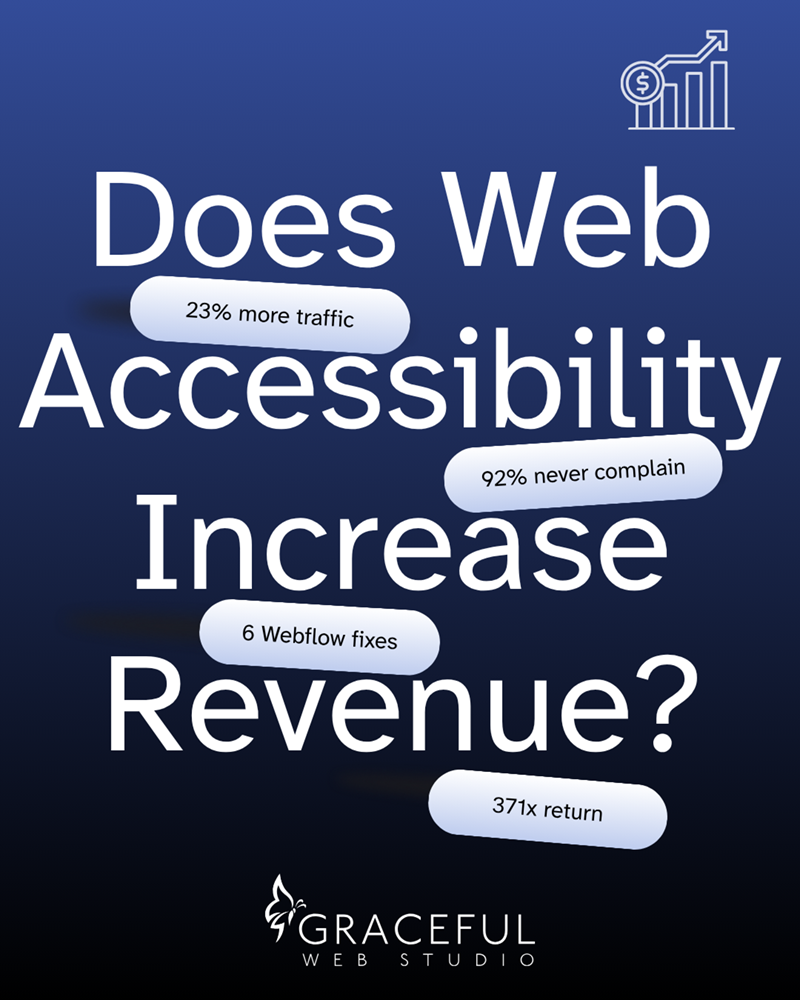
Accessible websites earn more. The data behind web accessibility ROI, plus the six Webflow patterns that quietly cost you conversions.

Why accessible Webflow forms matter, what WCAG requires, and how the Graceful Web Forms solution fixes what default validation gets wrong.
We would love to meet with you face-to-face. Whether virtually or for a coffee. Request a free project quote, and let’s find the right solution for you! We review your site, set-up a disocvery session and map out goals for a website that grows your business.