Is Webflow Accessible? A Practical Guide to WCAG 2.2 AA

Yes, Webflow is accessible enough to build sites that meet WCAG 2.2 Level AA, but it does not get you there on its own. Webflow outputs clean, semantic HTML and gives you alt text, focus styles, and custom attributes. You still have to handle form error messages, color contrast, heading order, the Slider, the Lightbox, and CMS alt text yourself, then test with a keyboard and a screen reader.
This guide is for Webflow designers and for business owners who are hiring one. It covers what Webflow does well, where it needs help, how we fix each gap at Graceful Web Studio, and how to test your own site.
Webflow is a strong platform for accessible websites. Its native elements produce real HTML, not a pile of generic containers, and most of what WCAG asks for is possible without fighting the tool. What Webflow can't do is make your decisions for you. A low-contrast button, a skipped heading level, or an image with no alt text will publish without complaint.
Web accessibility means people with disabilities can perceive, understand, operate, and use your website. That includes people who are blind or have low vision, people who are Deaf or hard of hearing, people with cognitive or learning disabilities, and people who use a keyboard, switch device, or voice control instead of a mouse. The W3C's stories of web users are a good, short introduction to how these barriers feel in real life.
The standard behind all of this is the Web Content Accessibility Guidelines (WCAG) 2.2. Level AA is the target for almost every public-facing website.
For most organizations, the practical answer is WCAG 2.2 Level AA. The laws and policies below all point back to WCAG, so building to 2.2 AA covers you in the places that matter.
For a fuller, regularly updated list, see our web accessibility standards reference. The better reason to care is simpler: an accessible site works for more of the people who are trying to hire you.
Webflow gives you a solid set of tools. Used with intention, they cover a large share of WCAG 2.2 AA.
<main>, <nav>, <header>, and <footer> from the Settings panel, and use native form inputs with real labels.<button> or a definition list no longer needs an Embed.:focus-visible so keyboard users can always see where they are.aria-* attributes, lang, and other attributes to any element.ch unit to keep line length comfortable.Webflow's own accessible elements guide lists the Navbar, Tabs, Dropdown, Forms, and many more as keyboard and screen reader friendly out of the box. In our experience that holds up. The native Tabs and Dropdown are not where accessibility problems come from, as long as you give them a visible focus style.
These are the gaps we still see in current Webflow builds. None of them make accessibility impossible. Each one has a fix, and we've written up how we handle it.
This is the biggest gap. Webflow forms lean on the browser's built-in HTML5 validation. Those messages look different in every browser, vanish when you click away, and aren't tied to the field in a way screen readers can reliably announce. Webflow also has no native <fieldset> and <legend> in its form elements, so groups of checkboxes and radio buttons lose their group label.
We now have a working, accessible validation approach. It shows clear inline errors tied to each field, keeps the submit button active, supports grouped checkboxes and radio buttons, and works with a keyboard and a screen reader. It's live on our own quote and contact forms. Read why Webflow forms fail accessibility and how we fix them.
Webflow will publish any color pairing you choose. Low-contrast text was found on 83.9% of the home pages in the 2026 WebAIM Million report, which makes it the most common failure on the web. The Audit panel doesn't check contrast, so use the contrast checker in Webflow's color picker and test hover, focus, and placeholder states too. Build your brand palette as variables with tested pairings, and the problem mostly goes away.
It's easy to pick an H4 because it looks right. Screen reader users jump through a page by its headings, and AI systems read that outline to understand your content. Keep one H1, don't skip levels, and set the visual size with classes instead of the heading level. The Audit panel flags skipped levels, so check it before you publish.
The native Slider needs work. Webflow's own guide says you have to add focus styles to the slider dots by hand. If you turn on autoplay, there is no built-in pause button, which WCAG 2.2.2 Pause, Stop, Hide requires for moving content. We usually replace it. Here is why we chose Swiper.js for Webflow carousels and how we made it accessible.
The native Lightbox opens without dialog semantics or an accessible name, doesn't keep keyboard focus inside the overlay, and gives every trigger the same generic label. A short script fixes all of it and follows the APG dialog (modal) pattern. See our Webflow video Lightbox focus management fix.
Alt text you add in the Assets panel doesn't follow an image into a CMS Collection. You need a dedicated text field for alt text in the Collection, then you bind the image's alt text to that field, as Webflow's alt text guide explains. On sites we take over, this is one of the most common gaps: blog thumbnails and team photos published with no useful description at all.
Webflow's Button element is a styled link, an <a> tag. That's fine when it goes somewhere. When it does something on the page, like opening a menu or a modal, it should be a <button>. Use the Custom element, set the tag to button, and add type="button".
Component libraries are a huge time saver, but many popular components aren't accessible out of the box. We often find missing names and roles, focus that escapes a modal, and interactions that only work with a mouse. Check each one before it goes live. These walkthroughs show what to look for:
Automated tools catch some issues, but not most of them. You need both automated checks and hands-on testing.
We share our full setup in the accessibility testing tools we actually use. Testing isn't a one-time job, either. Every new page, CMS item, and component can bring a new issue, which is why we build ongoing checks into website accessibility maintenance.
When a Webflow site comes to us for remediation or a platform takeover, the same short list shows up almost every time: low-contrast brand colors, headings picked for size instead of structure, CMS images with no alt text, and forms that only make sense to sighted mouse users. Fancier issues are rare. The basics are where most of the barriers live.
The good news is that these are fixable at the source. Once colors, heading styles, and CMS fields are set up correctly, every new page your team publishes inherits the fix.
Accessibility isn't a direct Google ranking factor, and your Lighthouse accessibility score isn't one either. Google's own page experience guidance says Core Web Vitals are used by its ranking systems, and those measure loading, responsiveness, and visual stability, not accessibility.
The overlap is still real. Accessible structure helps machines understand your content:
Most of all, accessible sites are easier for everyone to use, and people who can use your site are more likely to contact you. Our accessibility ROI calculator shows what that reach can be worth for your business.
I've built on WordPress, Squarespace, BigCommerce, and Shopify, and I've hand-coded my share of sites. Webflow is still my favorite platform for fast, accessible, beautiful websites. I love the CMS, the Components panel for repeatable patterns, the easy publishing, and the Webflow Apps ecosystem.
So please don't read the list above as a reason to avoid Webflow. We build sites that meet WCAG 2.2 AA in Webflow all the time. Knowing where the gaps are, and how to close them, is what makes the difference.
If you design in Webflow and accessibility is new to you, start small: one success criterion, one heading outline, one keyboard test. Two free courses help a lot: the Webflow University web accessibility course and the W3C Digital Accessibility Foundations course. To keep learning with others, join the Accessibility Book Club.
No platform does. Webflow gives you the tools to meet WCAG 2.2 AA, but conformance depends on your colors, content, headings, forms, and components. You still need to test with a keyboard, a screen reader, and a contrast checker before launch and after updates.
Yes. Open the Settings panel for any element and add a custom attribute such as aria-label, aria-describedby, or aria-hidden. Use ARIA only when native HTML can't do the job, and test the result with a screen reader.
Yes. Webflow's native Tabs and Dropdown elements support keyboard and screen reader use. Add a clear focus style so keyboard users can see where they are. The native Slider and Lightbox are the ones that need extra work.
Yes, with some extra work. Use a visible <label> for every input, group related checkboxes and radio buttons, and replace the browser's default error messages with inline errors tied to each field. Our Webflow forms accessibility guide walks through the approach we use.
Test before launch, after any major design or content change, and on a regular schedule after that. We recommend at least a quarterly check for active sites. New CMS content and new components are the most common way issues sneak back in.
If your Webflow site needs to meet WCAG 2.2 AA, we can find the barriers, fix them, and show your team how to keep them fixed. Start with our Webflow accessibility remediation and consulting service, or request a free project quote.
Written by Crystal Scott, founder of Graceful Web Studio. Crystal is a Certified Professional in Web Accessibility (CPWA), a Section 508 Trusted Tester, and a Certified Webflow Expert with over a decade of front-end experience.
Ten questions to ask any Yakima web designer before you hire, with what a good answer sounds like and the red flags to watch for.
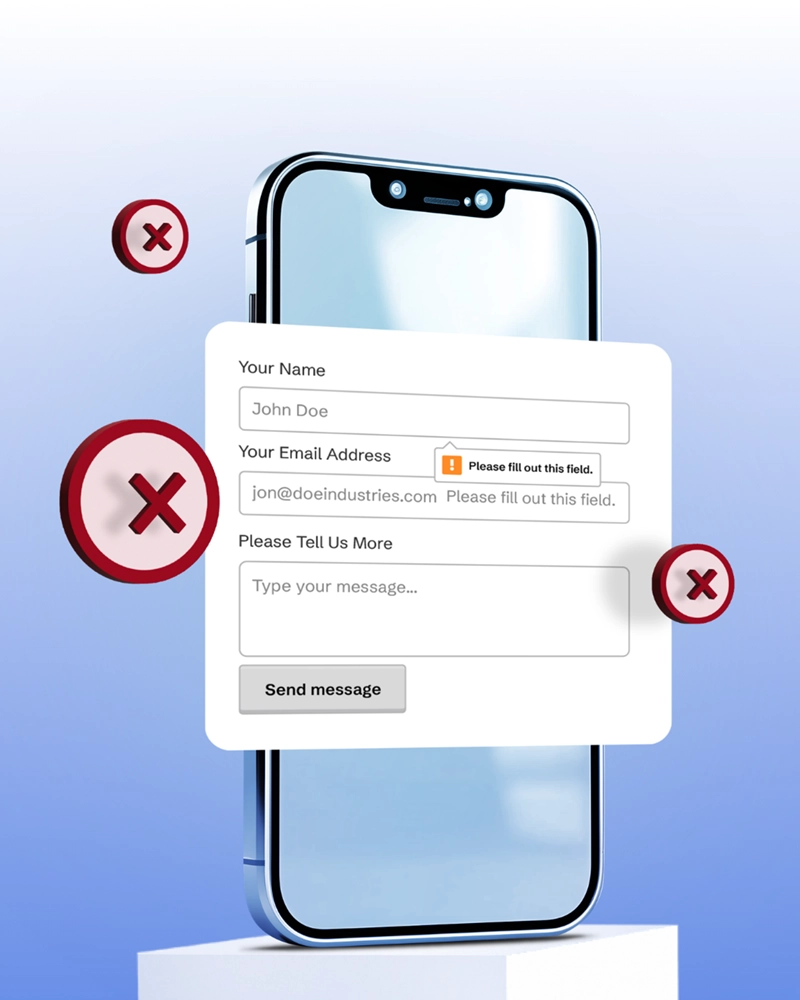
Webflow forms aren't accessible by default. Here is where default validation fails WCAG 2.2 and how we build forms that work for everyone.
Make the Webflow video lightbox accessible: dialog role, accessible names, a focus trap, and focus return, all with one clean script.
We would love to meet with you face-to-face. Whether virtually or for a coffee. Request a free project quote, and let’s find the right solution for you! We review your site, set-up a disocvery session and map out goals for a website that grows your business.